
文章目录[隐藏]
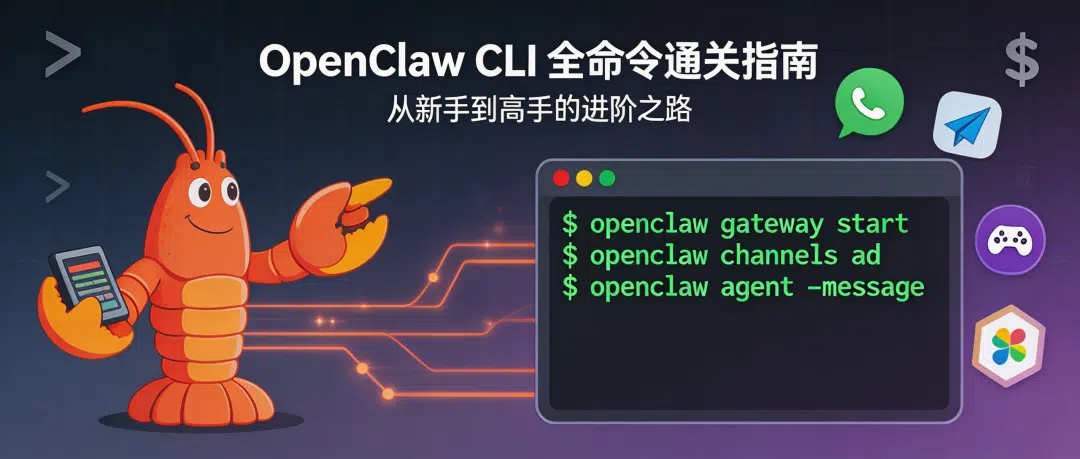
"EXFOLIATE! EXFOLIATE!" — 一只太空龙虾,大概是这么说的。
你有没有想过,用微信发一条消息,就能让 AI 帮你写代码、查资料、管理服务器?OpenClaw 就是干这个的——一个自托管的 AI 网关,把 WhatsApp、Telegram、Discord、iMessage 等聊天工具统统连接到 AI 代理上。
今天,我们假设你刚刚装好了 OpenClaw,像打开一个新游戏一样,从新手村出发,一路升级打怪,把所有命令都玩个遍。
🏠 第一章:新手村——安装与初始化
🎬 场景:你刚装好 OpenClaw,面对黑漆漆的终端,该输入什么?
openclaw setup —— 开荒第一步
功能:初始化配置文件和工作空间,相当于给你的 AI 助手"分配一间办公室"。
常用参数:
--workspace <dir>:指定工作空间路径(默认~/.openclaw/workspace)--wizard:启动引导向导,手把手教你配置--non-interactive:静默模式,适合脚本自动化
示例:
# 最简单的方式——启动向导
openclaw setup --wizard

# 指定工作空间路径
openclaw setup --workspace ~/my-ai-workspace
💡 小白提示:第一次用?直接加
--wizard,它会像贴心的客服一样一步步问你。
openclaw onboard —— 正式入职仪式
功能:交互式引导向导,帮你配好网关、工作空间、技能等所有组件。如果说 setup 是"分配办公室",onboard 就是"入职培训 + 领工牌 + 开通权限"一条龙服务。
常用参数:
--flow <quickstart|advanced>:快速上手 or 高级配置--auth-choice <provider>:选择 AI 提供商认证方式--anthropic-api-key <key>:直接传入 Anthropic API Key--openai-api-key <key>:直接传入 OpenAI API Key--gemini-api-key <key>:直接传入 Gemini API Key--install-daemon:安装后台守护进程--skip-channels:跳过频道配置--gateway-port <port>:指定网关端口
示例:
# 交互式引导(推荐新手)
openclaw onboard

# 快速上手模式
openclaw onboard --flow quickstart

# 全自动化配置(适合 CI/CD)
openclaw onboard --non-interactive
  --mode local
  --auth-choice openai-api-key
  --openai-api-key sk-xxxx
  --install-daemon
  --skip-channels
🎯 推荐:Anthropic 是官方推荐的 AI 提供商,效果最佳。
openclaw configure —— 随时微调
功能:交互式配置向导,可以随时调整模型、频道、技能、网关等设置。就像手机的"设置"App——想改什么改什么。
示例:
openclaw configure
openclaw config —— 精准手术刀
功能:非交互式配置工具,直接读写配置项。适合"我知道我要改什么"的老手。
子命令:
config get <path>:读取配置值config set <path> <value>:设置配置值config unset <path>:删除配置值
示例:
# 查看当前主模型
openclaw config get agents.defaults.model.primary

# 设置主模型为 Claude
openclaw config set agents.defaults.model.primary "claude-sonnet-4-20250514"

# 删除某项配置
openclaw config unset channels.whatsapp.allowFrom
openclaw doctor —— 体检一下
功能:健康检查 + 快速修复,帮你找出配置问题、网关异常、遗留服务等"小毛病"。就像去医院做体检——有病治病,没病安心。
常用参数:
--deep:深度扫描,检查系统服务中是否有多余的网关安装--yes:自动接受默认修复方案
示例:
# 常规体检
openclaw doctor

# 深度扫描
openclaw doctor --deep

# 无人值守模式,自动修复
openclaw doctor --non-interactive
⚡ 第二章:启动引擎——网关与服务管理
🎬 场景:配置好了,现在要把 AI 网关跑起来!
openclaw gateway —— 启动核心引擎
功能:运行 WebSocket 网关。这是 OpenClaw 的心脏——所有消息的收发、路由、会话管理都靠它。
常用参数:
--port <port>:指定端口(默认 18789)--bind <loopback|lan|tailnet|auto>:绑定地址--token <token>:认证 Token--tailscale <off|serve|funnel>:Tailscale 集成--verbose:详细日志--force:强制启动(杀掉占用端口的进程)
示例:
# 默认启动
openclaw gateway

# 指定端口 + 开放局域网访问
openclaw gateway --port 8080 --bind lan

# 通过 Tailscale 暴露到公网
openclaw gateway --tailscale funnel

# 端口被占用?强制启动!
openclaw gateway --force
openclaw gateway install / start / stop / restart —— 后台服务管理
功能:把网关安装成系统服务(macOS 用 launchd,Linux 用 systemd,Windows 用 schtasks),让它像后台程序一样自动运行。
示例:
# 安装为系统服务
openclaw gateway install

# 启动 / 停止 / 重启
openclaw gateway start
openclaw gateway stop
openclaw gateway restart

# 查看服务状态
openclaw gateway status

# 深度状态检查(含系统级扫描)
openclaw gateway status --deep --json
⚠️ 注意:网关运行时推荐使用 Node 运行时,Bun 不推荐(WhatsApp/Telegram 有 Bug)。
openclaw logs —— 查看日志
功能:实时查看网关日志,就像看直播一样盯着 AI 的一举一动。
示例:
# 实时跟踪日志
openclaw logs --follow

# 查看最近 200 条
openclaw logs --limit 200

# JSON 格式输出(适合程序解析)
openclaw logs --json

# 纯文本模式(无颜色)
openclaw logs --plain
openclaw status —— 全局状态一览
功能:显示链接会话健康状况、最近收件人等信息。相当于 AI 助手的"仪表盘"。
常用参数:
--all:完整诊断信息--deep:探测频道连接--usage:显示模型用量/配额--json:JSON 输出
示例:
# 快速状态
openclaw status

# 完整诊断
openclaw status --all

# 深度探测 + 用量统计
openclaw status --deep --usage
openclaw health —— 心跳检测
功能:从运行中的网关获取健康状态,一个字:活着没?
示例:
openclaw health
openclaw health --json --verbose
📱 第三章:连接世界——频道与设备管理
🎬 场景:网关跑起来了,现在要把你的聊天软件接上去!
openclaw channels —— 频道管理中心
功能:管理聊天频道(WhatsApp / Telegram / Discord / Slack / Signal / iMessage / Google Chat / MS Teams 等)。这是把你的聊天工具和 AI 连起来的关键一步。
子命令:
channels list:查看已配置频道channels status:检查频道健康状况channels add:添加新频道channels remove:移除频道channels login:登录频道(如 WhatsApp Web)channels logout:登出频道channels logs:查看频道日志
示例:
# 查看所有频道
openclaw channels list

# 查看频道状态(含深度探测)
openclaw channels status --probe

# 添加 Telegram 机器人
openclaw channels add
  --channel telegram
  --account alerts
  --name "Alerts Bot"
  --token $TELEGRAM_BOT_TOKEN

# 添加 Discord 机器人
openclaw channels add
  --channel discord
  --account work
  --name "Work Bot"
  --token $DISCORD_BOT_TOKEN

# 移除频道(真删除)
openclaw channels remove --channel discord --account work --delete

# WhatsApp 扫码登录
openclaw channels login --channel whatsapp

# 查看频道日志
openclaw channels logs --channel telegram --lines 100
💡 小贴士:
channels status会自动检测常见配置错误,并给出修复建议,然后引导你使用openclaw doctor修复。
openclaw pairing —— 配对审批
功能:审批来自各频道的 DM 配对请求。就像门禁系统——谁能跟你的 AI 聊天,你说了算。
示例:
# 查看待审批的配对请求
openclaw pairing list --json

# 审批某个请求
openclaw pairing approve telegram ABC123 --notify
openclaw devices —— 设备管理
功能:管理网关设备配对条目和角色 Token。
示例:
# 查看所有设备
openclaw devices list --json

# 审批最新的设备请求
openclaw devices approve --latest

# 拒绝某个设备
openclaw devices reject <requestId>

# 移除某个设备
openclaw devices remove <deviceId>

# 轮换设备 Token
openclaw devices rotate --device <id> --role <role>
openclaw qr —— 扫码连接
功能:生成 QR 码,用于设备配对。
示例:
openclaw qr
🤖 第四章:对话开始——消息与代理
🎬 场景:频道接好了,现在开始跟 AI 对话!
openclaw message —— 万能消息工具
功能:统一的出站消息工具,支持发送、投票、回复、编辑、删除、置顶、搜索等功能。这是 OpenClaw 的"瑞士军刀"。
子命令(主要的):
message send:发送消息message poll:创建投票message react:发送表情回应message edit:编辑消息message delete:删除消息message pin / unpin:置顶/取消置顶message search:搜索消息message thread create|list|reply:话题管理message emoji list|upload:表情管理message sticker send|upload:贴纸管理message voice status:语音状态
示例:
# 发送消息
openclaw message send --target +15555550123 --message "Hi,我是你的 AI 助手!"

# 在 Discord 创建投票
openclaw message poll
  --channel discord
  --target channel:123
  --poll-question "今晚吃什么?"
  --poll-option 火锅
  --poll-option 烧烤
  --poll-option 外卖

# 搜索消息
openclaw message search --channel telegram --query "部署"
openclaw agent —— 单次 AI 对话
功能:通过网关执行一次 AI 代理调用。就像对讲机——按一下说话,松手听回答。
常用参数:
--message <text>:消息内容(必填)--to <dest>:目标会话--local:使用本地嵌入式代理(不走网关)--deliver:同时投递消息到频道--thinking <level>:思考深度(off / minimal / low / medium / high / xhigh)--json:JSON 输出
示例:
# 简单问一个问题
openclaw agent --message "用 Python 写一个快速排序"

# 使用深度思考模式
openclaw agent --message "分析这段代码的性能瓶颈" --thinking high

# 本地模式(不走网关)
openclaw agent --message "Hello" --local

# 发送并投递到频道
openclaw agent --message "今日报告" --to +15555550123 --deliver
openclaw agents —— 多代理管理
功能:管理多个隔离的 AI 代理,每个代理有独立的工作空间、认证和路由。就像公司里不同部门的 AI 助手——财务用一个,技术用一个,互不干扰。
子命令:
agents list:列出所有代理agents add [name]:添加新代理agents delete <id>:删除代理agents bindings:查看路由绑定agents bind:添加路由绑定agents unbind:移除路由绑定
示例:
# 列出所有代理
openclaw agents list --json

# 添加一个新代理,绑定到 Telegram
openclaw agents add coder
  --workspace ~/agents/coder
  --model claude-sonnet-4-20250514
  --bind telegram

# 查看绑定关系
openclaw agents bindings --agent coder

# 给代理绑定 Discord 频道
openclaw agents bind --agent coder --bind discord:work

# 解除绑定
openclaw agents unbind --agent coder --bind discord:work

# 删除代理(强制)
openclaw agents delete coder --force
🧠 进阶理解:绑定格式是
channel[:accountId]。比如telegram绑定整个 Telegram,discord:work只绑定 Discord 的work账号。
openclaw acp —— IDE 桥接
功能:运行 ACP 桥接器,把 IDE(如 VS Code)连接到网关。写代码的同时直接和 AI 互动,无需切换窗口。
示例:
openclaw acp
openclaw sessions —— 会话管理
功能:列出存储的对话会话。
示例:
# 查看所有会话
openclaw sessions --json

# 查看最近 30 分钟内活跃的会话
openclaw sessions --active 30
🧠 第五章:模型调教——AI 大脑配置
🎬 场景:AI 跑起来了,但你想换个更聪明的大脑,或者配个备用大脑?
openclaw models —— 模型管理总控
功能:管理 AI 模型——查看、切换、扫描、认证、配置回退链。这是 OpenClaw 的"大脑管理中心"。
openclaw models list —— 看看有哪些大脑可用
示例:
# 列出所有可用模型
openclaw models list --all

# 只看本地模型
openclaw models list --local

# 按提供商筛选
openclaw models list --provider anthropic

# JSON 格式
openclaw models list --json
openclaw models status —— 模型状态总览
功能:查看当前模型配置、认证状态、OAuth 过期时间等。
示例:
# 快速查看(openclaw models 等同于此)
openclaw models status

# 实时探测认证是否有效(注意:会消耗少量 Token)
openclaw models status --probe

# 检查模式(脚本使用,exit code 1=过期/缺失,2=即将过期)
openclaw models status --check
openclaw models set —— 切换主模型
示例:
# 设置主力模型
openclaw models set claude-sonnet-4-20250514

# 设置图像模型
openclaw models set-image dall-e-3
openclaw models fallbacks —— 回退链配置
功能:给模型配"替补队员"。主力模型挂了?自动切换备用的。就像球队的替补阵容。
示例:
# 查看当前回退链
openclaw models fallbacks list

# 添加回退模型
openclaw models fallbacks add gpt-4o
openclaw models fallbacks add gemini-2.0-flash

# 移除某个回退
openclaw models fallbacks remove gpt-4o

# 清空回退链
openclaw models fallbacks clear

# 图像模型回退链
openclaw models image-fallbacks add stable-diffusion-xl
openclaw models aliases —— 模型别名
功能:给模型起个短名字,打字省事。
示例:
# 添加别名
openclaw models aliases add smart claude-sonnet-4-20250514
openclaw models aliases add fast gpt-4o-mini

# 查看所有别名
openclaw models aliases list

# 删除别名
openclaw models aliases remove smart
openclaw models scan —— 自动发现模型
功能:扫描可用的模型,自动探测哪些能用。像"自动搜台"。
示例:
# 全自动扫描
openclaw models scan --yes

# 指定提供商扫描
openclaw models scan --provider anthropic

# 扫描并自动设为默认
openclaw models scan --set-default --yes
openclaw models auth —— 认证管理
功能:管理 AI 提供商的认证信息。
示例:
# 交互式添加认证
openclaw models auth add

# Anthropic setup-token(推荐方式)
openclaw models auth setup-token --provider anthropic

# 直接粘贴 Token
openclaw models auth paste-token
  --provider openai
  --expires-in 365d

# 设置认证优先级
openclaw models auth order set --provider anthropic profile1 profile2
openclaw models auth order get --provider anthropic --json
openclaw models auth order clear --provider anthropic
🔧 第六章:高阶操作——插件、技能、记忆与自动化
🎬 场景:基础操作已经溜了,现在来点进阶的!
openclaw plugins —— 插件生态
功能:管理扩展插件。OpenClaw 的插件系统就像手机的 App Store——核心功能之外,想要什么装什么。
示例:
# 查看已安装插件
openclaw plugins list

# 查看插件详情
openclaw plugins info mattermost

# 安装插件
openclaw plugins install ./my-plugin.tgz

# 启用 / 禁用
openclaw plugins enable mattermost
openclaw plugins disable mattermost

# 插件诊断
openclaw plugins doctor
💡 大多数插件变更需要重启网关才能生效。
openclaw skills —— 技能管理
功能:查看和检查 AI 代理的可用技能。技能是代理"会做的事"——比如搜索、浏览网页、执行代码等。
示例:
# 列出所有技能
openclaw skills list

# 只看可用的技能
openclaw skills list --eligible

# 查看某个技能详情
openclaw skills info web-search

# 检查技能就绪状态
openclaw skills check
💡 小贴士:用
npx clawhub可以搜索、安装和同步社区技能。
openclaw memory —— 向量记忆系统
功能:基于 MEMORY.md 和 memory/*.md 文件的向量搜索。让 AI 拥有"长期记忆"——它能记住你之前说过什么、做过什么。
示例:
# 查看记忆索引状态
openclaw memory status

# 重建索引
openclaw memory index

# 语义搜索
openclaw memory search "上次部署遇到的问题"
openclaw memory search --query "项目架构设计"
🧠 这个功能超级实用!你可以把项目笔记、技术决策、常见问题都写进
memory/目录,AI 就能随时回忆起来。
openclaw cron —— 定时任务
功能:管理定时任务。让 AI 定时做事——每天早上发日报、每小时检查服务状态、每周五提醒你交周报……
示例:
# 查看 cron 状态
openclaw cron status

# 列出所有任务
openclaw cron list

# 添加定时任务——每天早上 9 点发系统事件
openclaw cron add
  --name "morning-report"
  --cron "0 9 * * *"
  --system-event "生成今日工作计划"

# 添加每 30 分钟执行一次的任务
openclaw cron add
  --name "health-ping"
  --every 30m
  --system-event "检查所有服务健康状态"

# 添加一次性任务
openclaw cron add
  --name "remind-meeting"
  --at "2026-03-02T14:00:00"
  --message "下午两点有会议!"

# 启用 / 禁用 / 手动执行
openclaw cron enable <id>
openclaw cron disable <id>
openclaw cron run <id> --force

# 查看执行历史
openclaw cron runs --id <id> --limit 10

# 编辑任务
openclaw cron edit <id>

# 删除任务
openclaw cron rm <id>
openclaw system —— 系统事件与心跳
功能:管理系统级事件和心跳机制。
示例:
# 发送系统事件(立即触发)
openclaw system event --text "紧急:服务器磁盘快满了" --mode now

# 下次心跳时处理
openclaw system event --text "检查日志" --mode next-heartbeat

# 心跳管理
openclaw system heartbeat last    # 查看上次心跳
openclaw system heartbeat enable  # 启用心跳
openclaw system heartbeat disable # 禁用心跳

# 查看系统存在状态
openclaw system presence --json
🌐 第七章:浏览器控制——让 AI 上网冲浪
🎬 场景:你想让 AI 帮你操作浏览器?没问题!
openclaw browser —— 浏览器自动化
功能:完整的浏览器控制 CLI,支持 Chrome / Brave / Edge / Chromium。AI 可以打开网页、截图、点击、输入、填表……就像请了个机器人帮你操作电脑。
管理类命令:
# 启动 / 停止浏览器
openclaw browser start
openclaw browser stop
openclaw browser status

# 标签页管理
openclaw browser tabs
openclaw browser open "https://github.com"
openclaw browser focus <targetId>
openclaw browser close <targetId>

# 浏览器配置文件管理
openclaw browser profiles
openclaw browser create-profile --name "work" --color "#FF5A2D"
openclaw browser delete-profile --name "work"
openclaw browser reset-profile
检查类命令:
# 截图
openclaw browser screenshot --full-page
openclaw browser screenshot --element "#main-content"

# 页面快照(AI 可读格式)
openclaw browser snapshot --format ai --compact

# 导出 PDF
openclaw browser pdf
操作类命令:
# 导航
openclaw browser navigate "https://example.com"

# 调整窗口大小
openclaw browser resize 1920 1080

# 点击元素
openclaw browser click <ref>
openclaw browser click <ref> --double --button right

# 输入文字
openclaw browser type <ref> "Hello World" --submit

# 按键
openclaw browser press Enter

# 悬停 / 拖拽 / 选择
openclaw browser hover <ref>
openclaw browser drag <startRef> <endRef>
openclaw browser select <ref> "option1""option2"

# 上传文件
openclaw browser upload ./report.pdf --ref <ref>

# 批量填表(超实用!)
openclaw browser fill --fields '{"username":"admin","password":"123456"}'
openclaw browser fill --fields-file ./form-data.json

# 处理弹窗
openclaw browser dialog --accept
openclaw browser dialog --dismiss --prompt "确认删除?"

# 等待页面变化
openclaw browser wait --text "加载完成"
openclaw browser wait --text-gone "Loading..."
openclaw browser wait --time 3000

# 执行 JavaScript
openclaw browser evaluate --fn "document.title"

# 查看控制台日志
openclaw browser console --level error
🎮 玩法举例:你可以让 AI 自动帮你登录某个后台、截图、填表单、下载 PDF——一套组合拳打下来,重复性工作全自动化。
🖥️ 第八章:远程节点——跨设备指挥
🎬 场景:你有多台设备,想用一个网关统一管理它们?
openclaw node —— 节点主机管理
功能:运行一个无头节点主机,或把它安装为后台服务。节点主机是你远程设备上的"前哨站",接受网关的指挥。
示例:
# 运行节点主机
openclaw node run --host 192.168.1.100 --port 18789

# 安装为系统服务
openclaw node install
  --host my-gateway.local
  --port 18789
  --display-name "办公室 Mac"

# 状态 / 停止 / 重启 / 卸载
openclaw node status
openclaw node stop
openclaw node restart
openclaw node uninstall
openclaw nodes —— 远程节点操作
功能:通过网关管理和操作已配对的远程节点。这才是真正的"指挥中心"——你坐在家里,就能控制办公室的电脑。
基础管理:
# 查看所有节点状态
openclaw nodes status --connected

# 列出节点
openclaw nodes list --json

# 查看待审批节点
openclaw nodes pending

# 审批 / 拒绝
openclaw nodes approve <requestId>
openclaw nodes reject <requestId>

# 重命名节点
openclaw nodes rename --node office-mac --name "办公室 MacBook Pro"

# 查看节点详情
openclaw nodes describe --node office-mac
远程执行命令:
# 在远程节点执行命令
openclaw nodes run --node office-mac -- ls -la /tmp

# 指定工作目录 + 环境变量
openclaw nodes run
  --node office-mac
  --cwd /home/user/project
  --env NODE_ENV=production
  -- npm run build

# RPC 调用
openclaw nodes invoke
  --node office-mac
  --command"system.info"
  --params '{"verbose": true}'
📷 远程摄像头:
# 列出摄像头
openclaw nodes camera list --node my-phone

# 拍照(前置 + 后置)
openclaw nodes camera snap --node my-phone --facing both

# 录制视频片段
openclaw nodes camera clip --node my-phone --duration 10s --facing back
🖥️ 远程屏幕与画布:
# 屏幕截图
openclaw nodes canvas snapshot --node office-mac --format png

# 展示内容到远程屏幕
openclaw nodes canvas present --node office-mac --target "https://dashboard.example.com"

# 隐藏画布
openclaw nodes canvas hide --node office-mac

# 在画布中执行 JS
openclaw nodes canvas eval"document.title" --node office-mac

# 录制屏幕
openclaw nodes screen record --node office-mac --duration 30s --fps 15

# 导航画布到新 URL
openclaw nodes canvas navigate "https://grafana.local" --node office-mac
🔔 远程通知(仅 Mac):
openclaw nodes notify
  --node office-mac
  --title "部署完成"
  --body "v2.1.0 已成功部署到生产环境"
  --sound default
  --priority timeSensitive
📍 远程定位:
openclaw nodes location get
  --node my-phone
  --accuracy precise
  --location-timeout 5000
🌍 想象一下:你在咖啡店用手机给 AI 发条消息,它帮你在办公室电脑上跑构建、截个屏发给你、完事还给你的 Mac 弹个通知。这就是 OpenClaw 节点的威力。
🔐 第九章:安全堡垒——安全与密钥管理
🎬 场景:AI 功能强大,但安全也不能落下!
openclaw security —— 安全审计
功能:审计配置和本地状态,发现常见的安全隐患。
示例:
# 基础审计
openclaw security audit

# 深度审计(含网关探测)
openclaw security audit --deep

# 自动修复安全问题
openclaw security audit --fix
openclaw secrets —— 密钥管理
功能:管理 API 密钥、Token 等敏感信息。避免明文密钥裸奔在配置文件里。
示例:
# 重新加载密钥(热更新,无需重启)
openclaw secrets reload

# 审计密钥安全性(扫描明文残留、未解析引用等)
openclaw secrets audit

# 交互式密钥配置
openclaw secrets configure

# 应用密钥计划(支持 dry-run 预览)
openclaw secrets apply --from plan.json --dry-run
openclaw secrets apply --from plan.json
openclaw approvals —— 审批控制
功能:管理操作审批策略和白名单。
示例:
# 查看当前审批设置
openclaw approvals get

# 设置审批策略
openclaw approvals set

# 白名单管理
openclaw approvals allowlist add <item>
openclaw approvals allowlist remove <item>
🧪 第十章:沙盒与调试——安全试验场
🎬 场景:想让 AI 执行一些"危险操作"又怕搞坏环境?沙盒来了!
openclaw sandbox —— 沙盒管理
功能:管理隔离的沙盒环境。让 AI 在"安全屋"里折腾,不影响你的真实系统。
示例:
# 列出沙盒
openclaw sandbox list

# 重建沙盒
openclaw sandbox recreate

# 解释沙盒配置
openclaw sandbox explain
openclaw tui —— 终端交互界面
功能:打开一个连接到网关的终端 UI,直接在终端里跟 AI 聊天,带完整的会话历史和交互体验。
示例:
# 默认启动
openclaw tui

# 指定会话和思考深度
openclaw tui --session my-project --thinking high

# 连接远程网关
openclaw tui --url wss://my-gateway.example.com --token xxx

# 直接发送消息(适合快速提问)
openclaw tui --message "帮我检查一下 Nginx 配置"

# 投递到频道
openclaw tui --deliver
🔗 第十一章:集成与自动化——Webhook 与 DNS
🎬 场景:想让 AI 自动响应邮件?想在局域网内发现网关?
openclaw webhooks gmail —— Gmail 自动化
功能:设置 Gmail Pub/Sub 钩子,让 AI 自动处理收到的邮件。
示例:
# 设置 Gmail webhook
openclaw webhooks gmail setup
  --account your@gmail.com
  --project my-gcp-project
  --topic openclaw-gmail
  --label AI-Process

# 运行 webhook 监听器
openclaw webhooks gmail run
openclaw hooks —— 钩子管理
功能:管理事件钩子——当某个事件发生时,自动触发某个动作。
示例:
# 列出所有钩子
openclaw hooks list

# 查看钩子详情
openclaw hooks info <hook-name>

# 检查钩子状态
openclaw hooks check

# 启用 / 禁用
openclaw hooks enable <hook-name>
openclaw hooks disable <hook-name>

# 安装 / 更新
openclaw hooks install <hook-spec>
openclaw hooks update <hook-name>
openclaw dns setup —— 局域网发现
功能:配置 DNS 广域发现(CoreDNS + Tailscale),让局域网内的设备自动找到你的网关。
示例:
# 配置 DNS(macOS,需要 sudo)
openclaw dns setup --apply
openclaw docs —— 文档搜索
功能:搜索 OpenClaw 的在线文档索引。忘了某个命令怎么用?直接搜!
示例:
openclaw docs "如何配置 Telegram"
openclaw docs "fallback models"
🧹 第十二章:善后工作——重置与卸载
🎬 场景:想重新来过?或者不玩了?
openclaw reset —— 重置状态
功能:重置本地配置和状态,但保留 CLI 本身。相当于"恢复出厂设置"。
常用参数:
--scope config:只重置配置--scope config+creds+sessions:重置配置 + 凭证 + 会话--scope full:全部重置
示例:
# 只重置配置
openclaw reset --scope config --yes

# 完全重置
openclaw reset --scope full --yes

# 先看看会删什么(dry-run)
openclaw reset --scope full --dry-run
openclaw uninstall —— 彻底卸载
功能:卸载网关服务和本地数据(CLI 本身保留)。
示例:
# 只卸载服务
openclaw uninstall --service --yes

# 卸载服务 + 状态数据
openclaw uninstall --service --state --yes

# 核弹级清理——全部删除
openclaw uninstall --all --yes

# 先看看会删什么
openclaw uninstall --all --dry-run
openclaw update —— 更新升级
功能:更新 OpenClaw 到最新版本。
示例:
openclaw update

# 也可以用全局 flag
openclaw --update
openclaw completion —— Shell 自动补全
功能:生成 Shell 自动补全脚本,让你按 Tab 就能补全命令。
示例:
# 根据你的 Shell 类型生成补全脚本
openclaw completion
🎨 彩蛋:全局 Flag 与输出美化
全局 Flag 一览
| Flag | 功能 |
|---|---|
--dev | 开发模式,状态隔离到 ~/.openclaw-dev |
--profile <name> | 自定义配置档,隔离到 ~/.openclaw-<name> |
--no-color | 禁用 ANSI 颜色 |
-V / --version | 打印版本号 |
🦞 龙虾配色方案
OpenClaw 的终端输出用了一套独特的"龙虾色板":
| 颜色 | 色值 | 用途 |
|---|---|---|
| 🔴 accent | #FF5A2D | 标题、标签、主要高亮 |
| 🟠 accentBright | #FF7A3D | 命令名、强调 |
| 🟤 accentDim | #D14A22 | 次要高亮 |
| 🟧 info | #FF8A5B | 信息值 |
| 🟢 success | #2FBF71 | 成功状态 |
| 🟡 warn | #FFB020 | 警告、注意 |
| 🔴 error | #E23D2D | 错误、失败 |
| ⚪ muted | #8B7F77 | 弱化、元数据 |
🗺️ 终极速查:命令全景图
openclaw
├── 🏠 初始化
│   ├── setup          # 初始化配置
│   ├── onboard        # 入职引导
│   ├── configure      # 交互式配置
│   ├── config         # 精准配置(get/set/unset)
│   └── doctor         # 健康检查
│
├── ⚡ 网关服务
│   ├── gateway        # 运行网关
│   ├── gateway install/start/stop/restart  # 服务管理
│   ├── logs           # 查看日志
│   ├── status         # 全局状态
│   └── health         # 心跳检测
│
├── 📱 频道与设备
│   ├── channels       # 频道管理(add/remove/login/logout)
│   ├── pairing        # 配对审批
│   ├── devices        # 设备管理
│   └── qr             # 扫码连接
│
├── 🤖 消息与代理
│   ├── message        # 万能消息工具
│   ├── agent          # 单次 AI 调用
│   ├── agents         # 多代理管理
│   ├── acp            # IDE 桥接
│   └── sessions       # 会话管理
│
├── 🧠 模型管理
│   ├── models list    # 列出模型
│   ├── models status  # 模型状态
│   ├── models set     # 切换模型
│   ├── models fallbacks   # 回退链
│   ├── models aliases     # 别名
│   ├── models scan        # 自动发现
│   └── models auth        # 认证管理
│
├── 🔧 高阶功能
│   ├── plugins        # 插件管理
│   ├── skills         # 技能管理
│   ├── memory         # 向量记忆
│   ├── cron           # 定时任务
│   ├── system         # 系统事件/心跳
│   └── sandbox        # 沙盒环境
│
├── 🌐 浏览器与节点
│   ├── browser        # 浏览器自动化
│   ├── node           # 节点主机
│   └── nodes          # 远程节点操作
│
├── 🔐 安全
│   ├── security       # 安全审计
│   ├── secrets        # 密钥管理
│   └── approvals      # 审批控制
│
├── 🔗 集成
│   ├── webhooks       # Gmail 等 Webhook
│   ├── hooks          # 事件钩子
│   ├── dns            # DNS 发现
│   └── docs           # 文档搜索
│
├── 🖥️ 交互
│   ├── tui            # 终端 UI
│   └── dashboard      # 浏览器面板
│
└── 🧹 善后
    ├── update         # 更新
    ├── reset          # 重置
    ├── uninstall      # 卸载
    └── completion     # Shell 补全
📌 写在最后
OpenClaw 的命令体系看起来庞大,但逻辑非常清晰——初始化 → 启动网关 → 接频道 → 配模型 → 发消息 → 玩花样。你不需要一次学完所有命令,按照这个路径走,用到哪个学哪个就行。
最核心的几个命令,日常够用了:
openclaw onboard—— 一次性搞定配置openclaw gateway—— 启动核心openclaw channels add—— 接上你的聊天工具openclaw agent --message—— 开始对话openclaw status—— 看看一切是否正常
剩下的?等你玩熟了再慢慢解锁,就像游戏里的隐藏关卡一样。🦞
本文基于 OpenClaw 官方文档编写,项目地址:github.com/openclaw/openclaw
<
© 版权声明
文章版权归作者所有,未经允许请勿转载。
相关文章




评论已关闭...

这玩意真能用微信控制服务器?有点不敢信🤔
第一次配 Anthropic 就卡在 API key 那步,谁懂啊
EXFOLIATE 是啥梗?龙虾喊话笑死我了😂
装完 gateway 一跑直接端口冲突,--force 救我命
本地模式 agent 能离线用吗?还是必须联网?
之前搞过类似自托管 bot,光 WhatsApp 登录就折腾三天
又是 Bun 又是 Node 的,能不能统一运行时啊?
openclaw doctor 真香,自动修好我乱改的配置
感觉还行,比 LangChain 那套轻量多了
cron 定时发日报这个功能太实用了!